Declare your SKBBK / Lindung 24 Jam participation in seconds, straight from your Pandahrms ESS dashboard — this guide shows every step with screenshots.
Your company may ask you to declare whether you wish to join the Skim Kemalangan Bukan Bencana Kerja (SKBBK) / Lindung 24 Jam scheme. When HR opens the declaration, a popup or banner appears on your dashboard — no forms, no emails.
- You can pick Opt-in or Opt-out, and change your answer any time while the declaration is open.
- Once HR closes the declaration, your answer is locked.
- This declaration is for local employees only. SKBBK is mandatory for foreign workers.
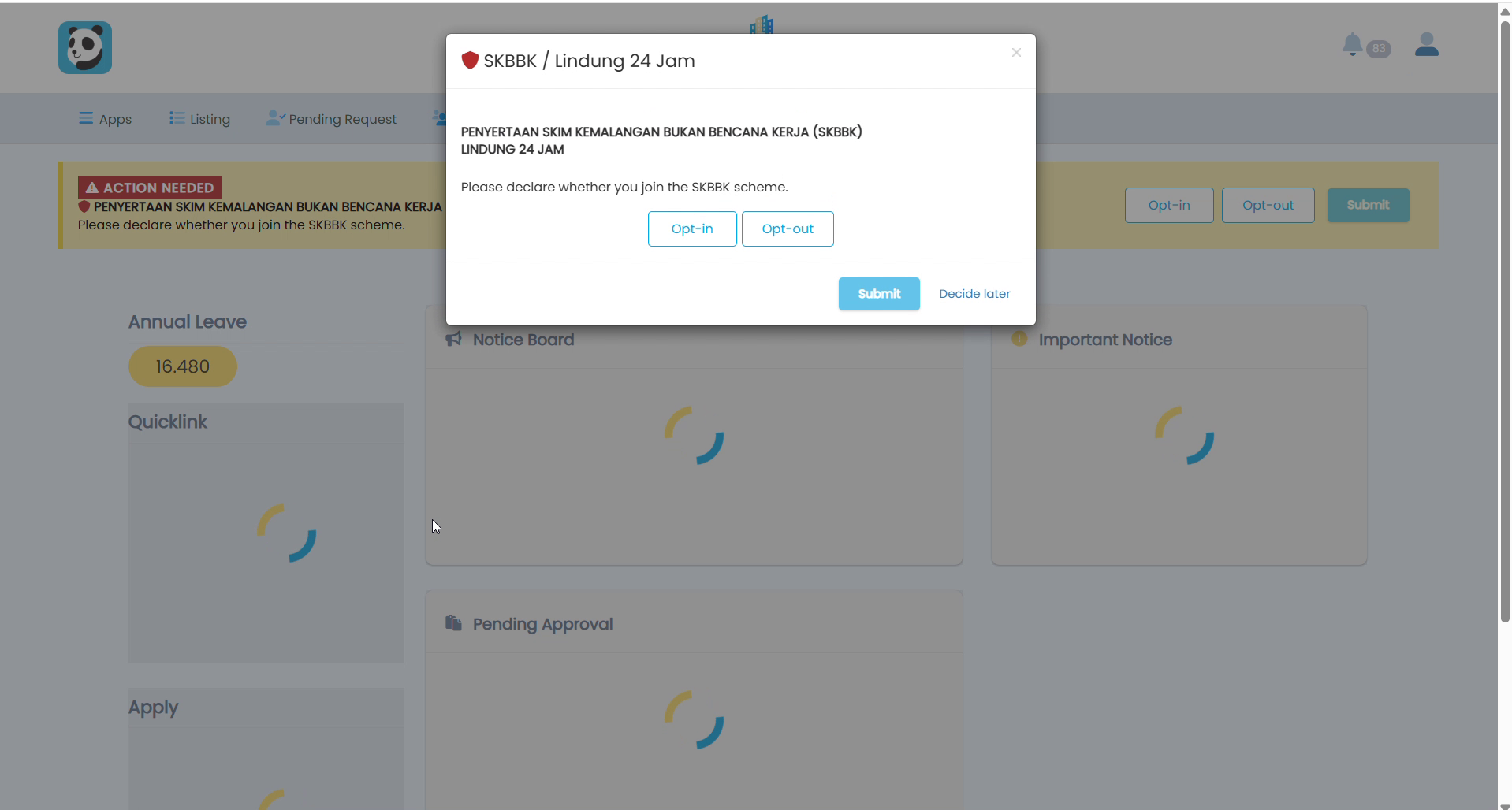
1Log In — Declaration Popup Appears
Log in to Pandahrms (ESS). If HR has opened the declaration, a popup will appear asking you to declare your SKBBK / Lindung 24 Jam participation. Select Opt-in or Opt-out, then click Submit.
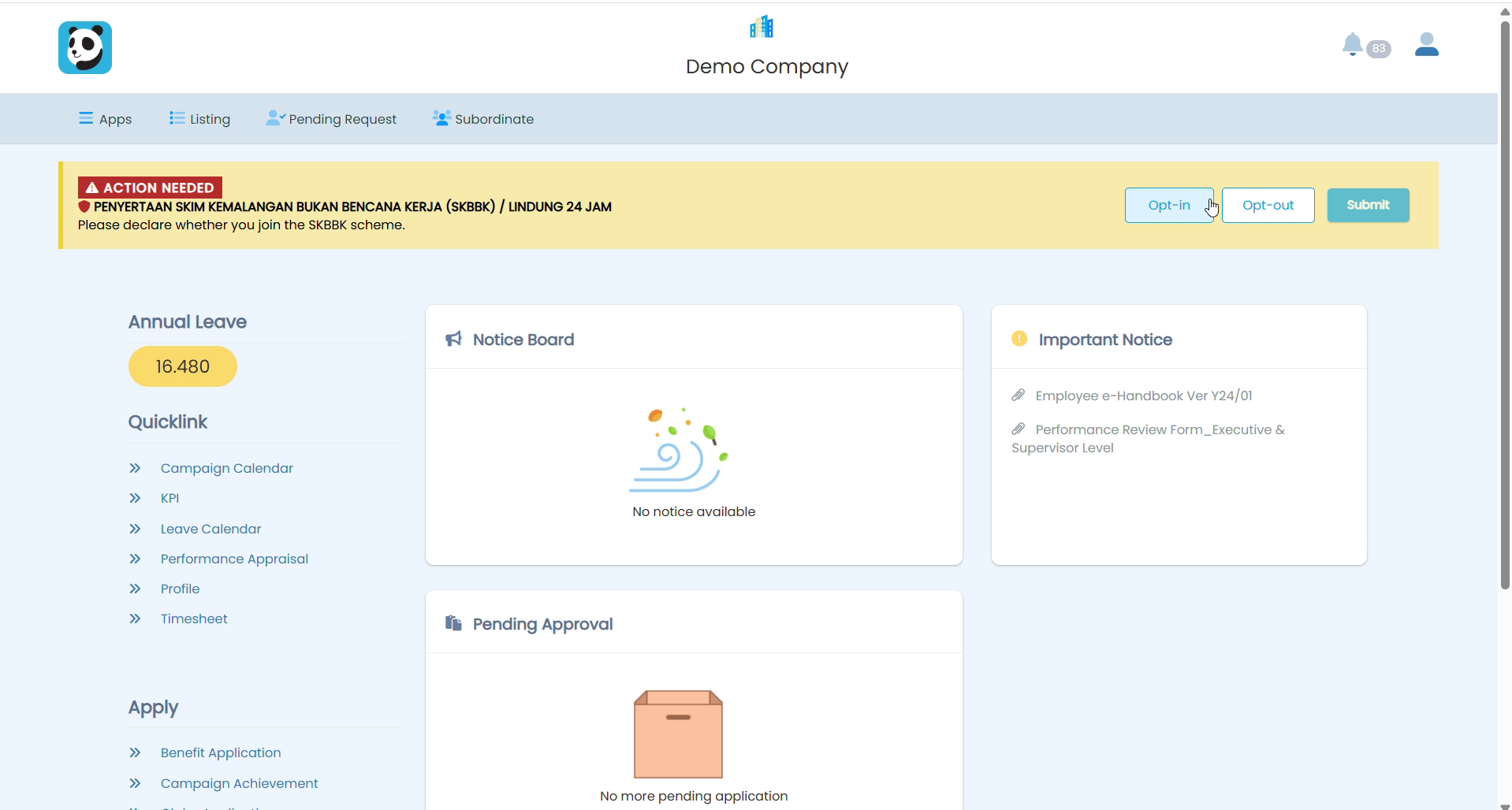
2Declaration Banner (Alternative View)
You may also see the declaration as a banner at the top of your dashboard. Select Opt-in or Opt-out directly from the banner, then click Submit.
3Declaration Saved
After submitting, your current declaration is shown at the top of the dashboard (e.g. SKBBK / Lindung 24 Jam: Opt-in). You may change your answer at any time while the declaration is still open.
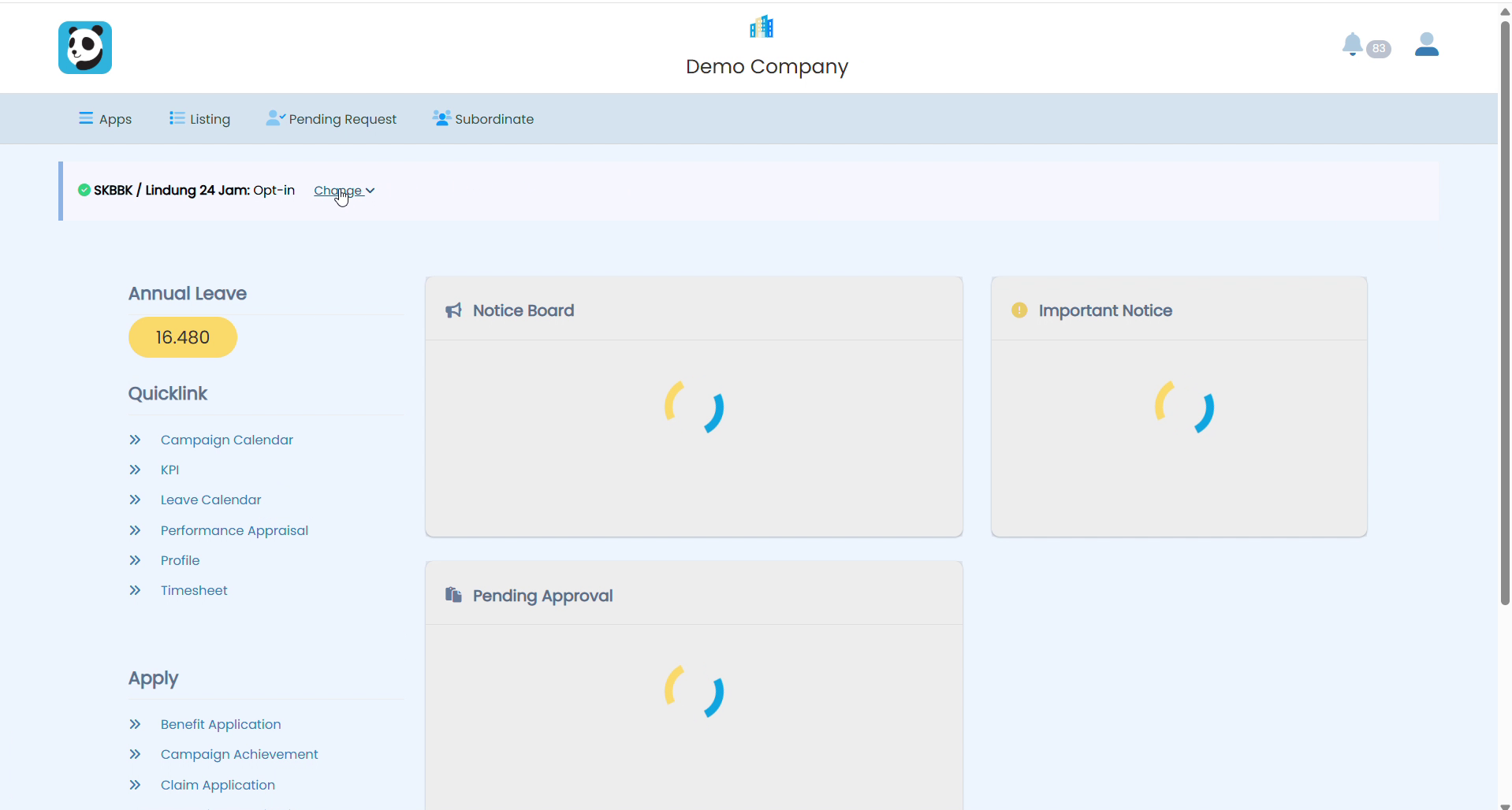
4Change Your Declaration
To change your answer, click the Change button next to your current status. A dropdown will appear showing the Opt-in and Opt-out options.
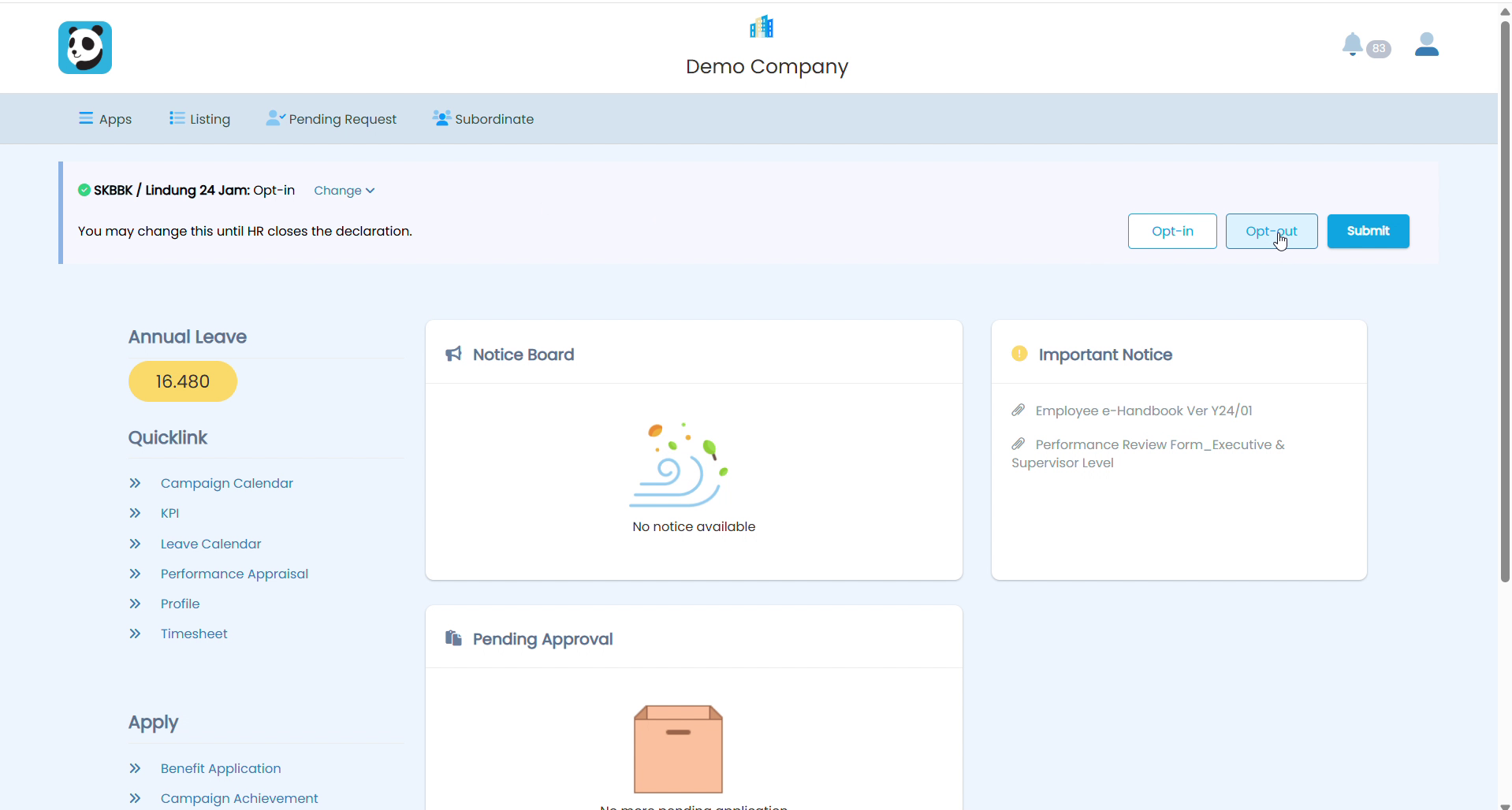
5Select New Option and Submit
Select your new preference (e.g. Opt-out), then click Submit. Your declaration will be updated immediately.
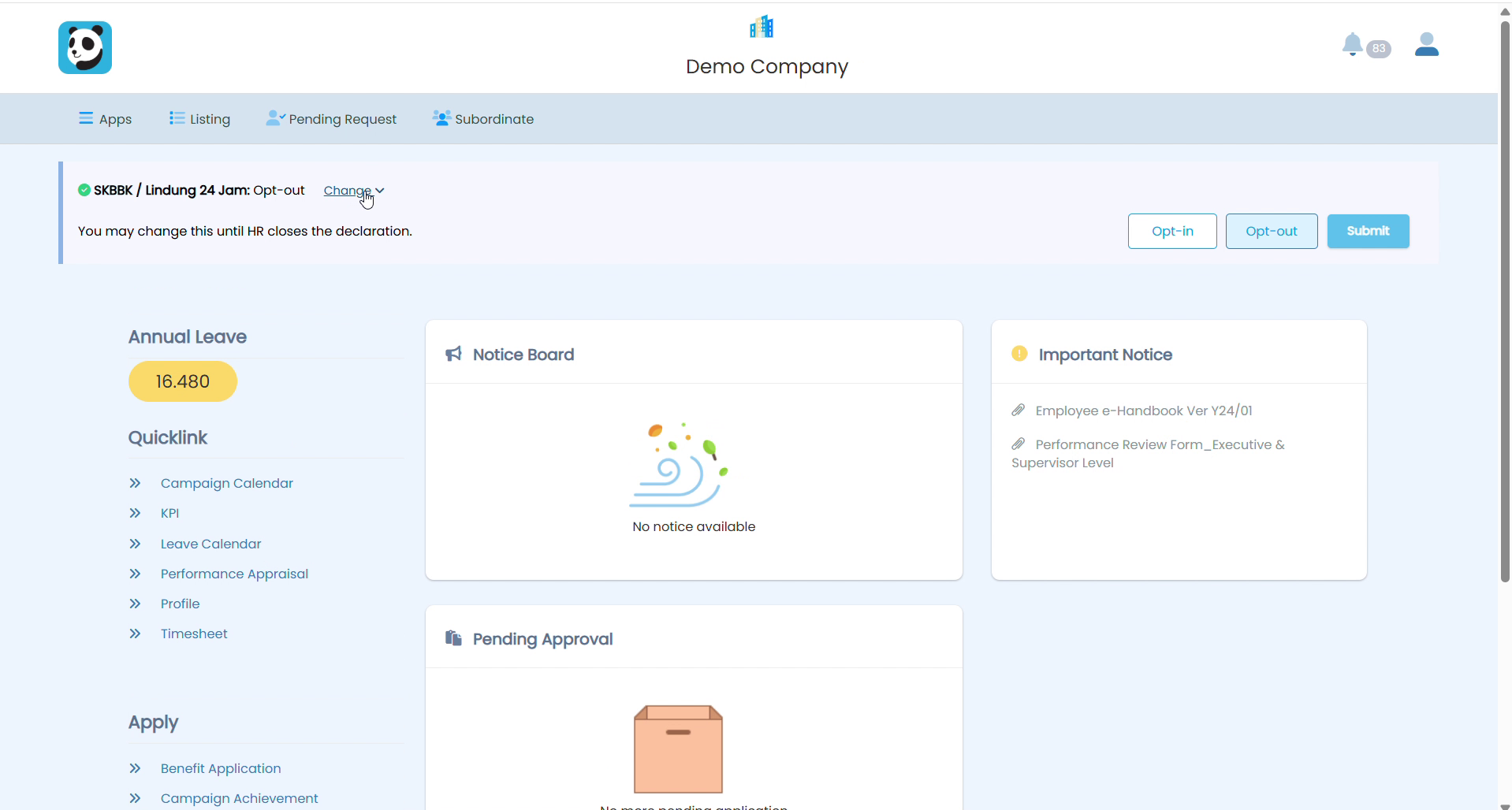
6After HR Closes the Declaration
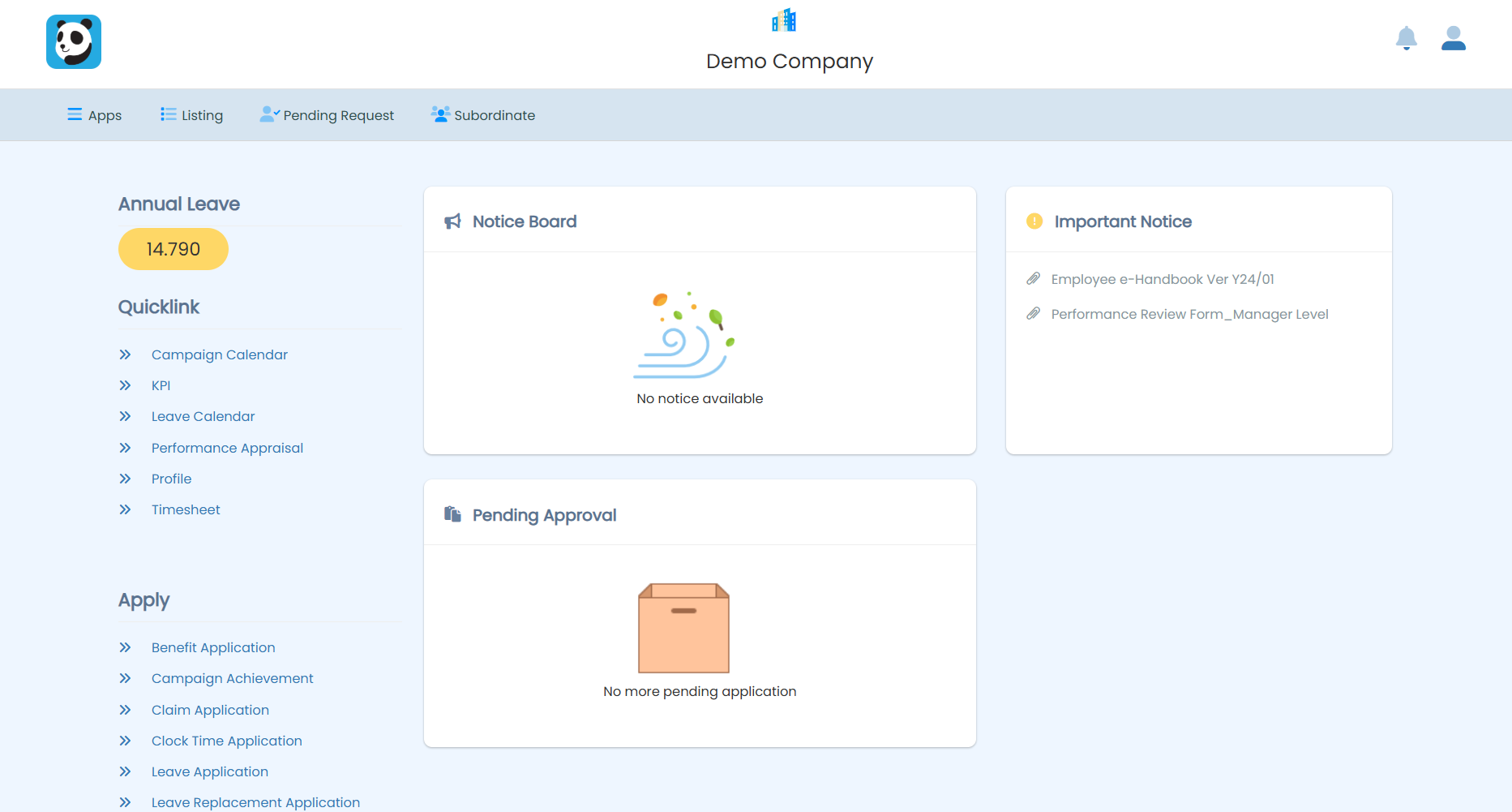
Once HR admin closes the declaration, the SKBBK banner and popup will no longer appear on your dashboard. Your submitted declaration has been recorded and no further action is needed.
Frequently Asked Questions
I clicked “Decide later”. Did I lose my chance?
No. The popup returns the next day, and the banner stays on your dashboard until HR closes the declaration.
Can I change my mind after submitting?
Yes — as many times as you like, while the declaration is still open. Click Change next to your current status.
I never see the popup or banner. Why?
Either HR has not opened the declaration yet, it has already closed, or you are registered as a foreign worker (SKBBK is mandatory for foreign workers, so no declaration is needed).
Related Guide
For HR admins: How to Manage the SKBBK Declaration in Pandahrms (HR Admin Guide).
If you have questions about your declaration, please contact your HR department.