Payroll season has a way of surfacing one small detail that holds up everything else: the Tax Identification Number (TIN). You need it to run monthly tax deductions, to file Form E and CP8D, to issue EA forms — and, increasingly, to raise an e-invoice. Yet many employers only discover a missing or wrong TIN at the worst possible moment: the day the filing is due. This guide explains what a TIN actually is in Malaysia, the format you’ll see today, who already has one, and exactly how you (or your employee) can check or register it.
What Is a TIN (Tax Identification Number)?
A TIN is the unique number the Inland Revenue Board of Malaysia (LHDN / HASiL) uses to identify a taxpayer. In Malay it is the Nombor Pengenalan Cukai (NPC); most people still call it their “income tax number.” It is how LHDN links every payment, deduction and filing back to the right person or business.
Two things are worth clearing up straight away:
- A TIN is not your MyKad (NRIC) number, your EPF number or your SOCSO number — it is a separate identifier issued by LHDN.
- Having a TIN does not mean you must pay tax. It simply means you are registered in the system. You only file and pay if your income crosses the taxable threshold.
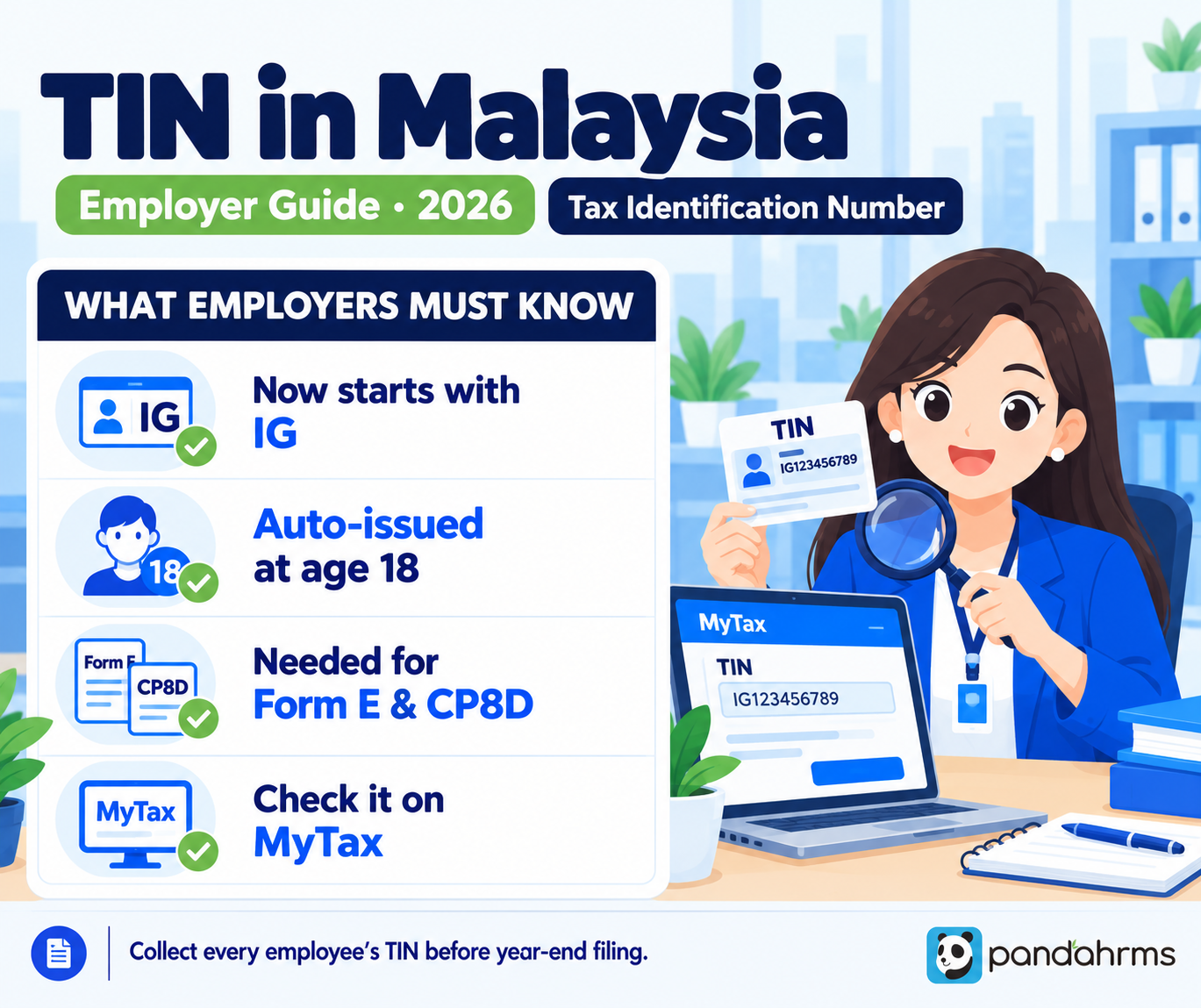
The TIN Format: Why It Now Starts With “IG”
From 2 January 2023, LHDN standardised the prefixes on individual tax numbers. The old SG and OG codes (both used for individuals) were replaced with a single prefix — IG — while the digits that follow stayed exactly the same. So a number that used to read SG11500 2000 now simply reads IG11500 2000.
Different taxpayer types carry different prefixes:
| Prefix | Taxpayer type |
|---|---|
| IG | Individual (replaced the old SG / OG) |
| C | Company (Sdn Bhd / Bhd) |
| D | Partnership |
| PT | Limited Liability Partnership (LLP) |
| E | Employer file number (Nombor Majikan) |
For non-individual files (company, partnership, LLP and so on), the number ends in a zero. In the same 2023 update, LHDN appended a “0” to the end of existing non-individual numbers — so if your records show one short, the trailing zero is usually what’s missing (for example C1234567890, not C123456789).
The “E Number” Is Not Your Employees’ TIN
This trips up a lot of HR teams. Your company has an employer number (prefix E) — the “Nombor Majikan” you quote on Form E and when remitting monthly deductions. That is the company’s file, not an employee’s TIN. Each employee has their own individual TIN (the IG number). On CP8D, you report each employee’s own income tax number alongside the company’s E number — so you need both.
Who Already Has a TIN?
More people than you’d expect. LHDN issues a TIN to every Malaysian citizen and permanent resident once they turn 18, and it now does this automatically, drawing on National Registration Department (JPN) records. In practice this means most of your employees already have a number sitting in the system — even fresh graduates who have never filed a return, and staff who assume they “don’t have one because they’ve never paid tax.”
That is good news for payroll: the number almost always exists already. The task is usually to find and verify it, not to create one from scratch.
How to Check Your TIN
There are a few reliable ways to confirm a TIN:
- MyTax portal — go to mytax.hasil.gov.my and use the e-Daftar menu to search by IC (or passport) number. This is the route LHDN’s own guidance points taxpayers to.
- Your income tax return — the number is printed on the front page of any BE / B form you’ve filed before.
- Your MyTax account — once logged in, your TIN appears in your profile.
- Ask LHDN directly — the HASiL Care Line on 03-8911 1000 (or +603-8911 1100 from overseas), HASiL Live Chat, or your nearest LHDN branch can confirm it.
How to Register If You Genuinely Don’t Have One
If the search comes back empty — which is more common for foreign employees or those who have never been in the system — registration is straightforward and free. Since 1 January 2024, individual TIN applications are made online through e-Daftar on MyTax:
- Go to mytax.hasil.gov.my and select e-Daftar.
- Choose the taxpayer category (individual) and the identification document type (MyKad / passport).
- Fill in the personal and employment details and submit.
- LHDN issues the TIN, and the applicant can then set up a full MyTax login.
For a brand-new hire, this pairs with your CP22 new-employee notification — the point at which you should also be collecting the TIN for your records.
Why Employers Need Every Employee’s TIN
The TIN is not a “nice to have.” It feeds almost every statutory payroll task:
- Monthly Tax Deduction (PCB / MTD) — the employee’s tax reference ties each deduction to the right taxpayer.
- Form E and CP8D — CP8D lists each employee’s income tax number against their annual remuneration, so LHDN can cross-check the employer’s figures with the employee’s own filing.
- EA form — the year-end statement each employee uses to file their taxes carries their tax number.
- e-Invoicing — a valid TIN is central to the MyInvois e-invoice system now rolling out to businesses of every size.
A single wrong or missing TIN can bounce a CP8D line, delay a filing, or force a last-minute scramble during the busiest payroll week of the year. Collecting and verifying TINs before year-end — not during it — is the whole game.
TIN and e-Invoicing: Why It Suddenly Matters to Everyone
Until recently, a person who never filed tax rarely thought about their TIN. e-Invoicing changed that. As the MyInvois mandate expands down to smaller businesses, a valid TIN is needed to identify the parties on an invoice. Where a buyer is an individual who provides only a MyKad or passport, LHDN allows a general TIN code to be used in place of a personal number — but for your own business and your employees, the real TIN is what keeps filings clean. The practical takeaway: the number you once ignored is now part of everyday business, so it’s worth getting right across your whole workforce.
A Simple Year-End TIN Checklist for HR
- Collect each employee’s TIN at onboarding, alongside EPF, SOCSO and bank details.
- Verify new hires’ numbers on MyTax rather than assuming they have one.
- Flag any employee whose search comes back empty, and ask them to register via e-Daftar.
- Keep the company’s E number separate from employees’ IG numbers in your records.
- Reconcile every TIN before you prepare CP8D and the EA forms.
How Pandahrms Helps
TIN problems are really record-keeping problems. Pandahrms stores each employee’s tax number together with their EPF, SOCSO and EIS details in one profile, carries the correct number through to PCB, CP8D and the EA form automatically, and flags incomplete records before you file — so year-end reporting is a review, not a rescue. For the full picture of what falls due and when, see our HR & payroll compliance checklist for Malaysian SMEs.
Frequently Asked Questions (FAQ)
- Is a TIN the same as my income tax number?
Yes. The TIN (Nombor Pengenalan Cukai) is what most people call their income tax number. For individuals it now begins with the prefix “IG”. - Do I have a TIN if I’ve never paid tax?
Most likely yes. LHDN issues a TIN to every Malaysian citizen and permanent resident at age 18, now automatically using National Registration Department records. Having a TIN does not mean you owe tax — you only file if your income is above the taxable threshold. - Why does my old number start with SG or OG?
SG and OG were the previous prefixes used on individual tax numbers. From 2 January 2023 LHDN replaced them with “IG”, keeping the digits unchanged — so SG11500 2000 became IG11500 2000. - Is the company’s E number the same as an employee’s TIN?
No. The E number (Nombor Majikan) is the employer’s own file number. Each employee has a separate individual TIN. CP8D requires both — the company’s E number and each employee’s income tax number. - How do I check an employee’s TIN?
Use the e-Daftar menu on the MyTax portal (mytax.hasil.gov.my) with the IC or passport number, check the front page of a past tax return, or contact the HASiL Care Line (03-8911 1000). Always confirm the number rather than assume it. - What if a new employee has no TIN at all?
They can register for free via e-Daftar on MyTax. This is most common for foreign employees or those new to the workforce. Collect the number once issued and keep it with their payroll record.
Source: Inland Revenue Board of Malaysia (LHDN / HASiL) — official Tax Identification Number (TIN / Nombor Pengenalan Cukai) information, the MyTax portal and e-Daftar service, and LHDN’s e-Invoice guidelines. The IG prefix change (effective 2 January 2023), the non-individual trailing-zero rule, the age-18 automatic registration and the HASiL Care Line details follow LHDN’s published TIN information; portal menu labels and e-invoice rules are updated periodically. This article is general information, not tax or legal advice — confirm your specific situation on the MyTax portal (mytax.hasil.gov.my) or with LHDN before relying on it.