Most Malaysian SMEs don’t buy an HR system because they love software — they buy one because payroll day has become a stack of spreadsheets, leave is tracked in a WhatsApp group, and nobody is sure the EPF and SOCSO figures are right. An HRIS (HR Information System), often called an HRMS, is meant to pull all of that into one place.
But the market is crowded, and a tool built for the US or Europe may not handle Malaysian statutory rules at all. Here’s a practical buyer’s guide — what the system must do, what to watch on price, and the exact questions to ask before you sign.
What an HRIS/HRMS should actually do
At a minimum, a system worth paying for should cover the full employee cycle:
- Payroll + statutory — salary, overtime and automatic EPF, SOCSO, EIS and PCB, with the submission files ready to upload.
- Leave — balances, approvals and carry-forward, with employees applying themselves.
- Attendance — clock-in that you can trust, including for staff off-site or across branches.
- Claims — expense submission, approval and payment straight into payroll.
- Employee self-service (ESS) — payslips, leave and claims in the employee’s own app, so HR stops being a help desk.
The Malaysia must-haves
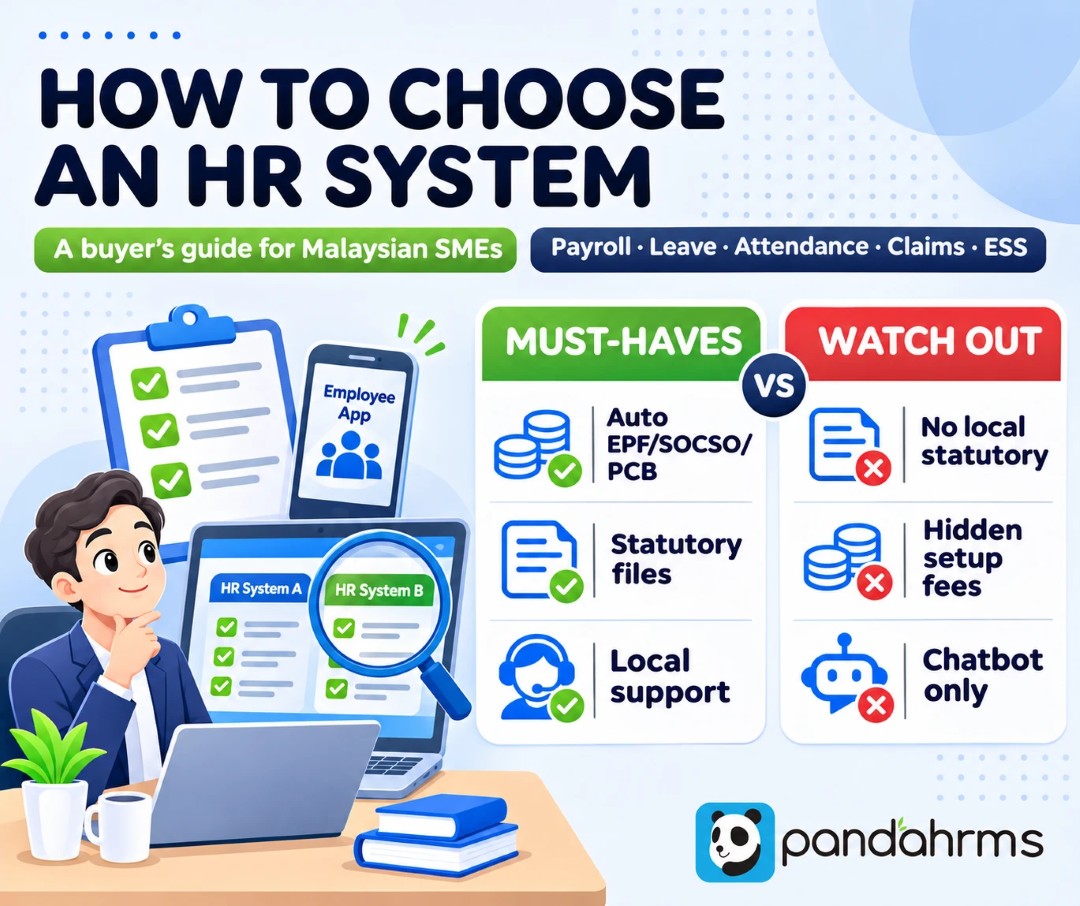
This is where many global tools fall down. For a Malaysian SME, insist on:
- Built-in EPF, SOCSO, EIS and PCB — calculated automatically and kept up to date when rates change (for example, EPF now being mandatory for foreign workers).
- Statutory submission files — the formats for KWSP, PERKESO and LHDN, not just a generic report.
- Employment Act compliance — correct handling of the wage period, overtime and different payroll cycles.
- Local support — real people who understand Malaysian payroll, not a chatbot in another time zone.
- Handles your set-up — mixed local and foreign staff, and multiple branches or outlets if you have them.
The feature checklist
| Area | Ask for |
|---|---|
| Payroll | Auto EPF/SOCSO/EIS/PCB, bank file, payslips, bonus & backpay |
| Attendance | Mobile / geo-fenced clock-in, roster, overtime capture |
| Leave & claims | Self-apply, approval flow, balances, feeds into payroll |
| Self-service | Employee app for payslips, leave, claims |
| Support & migration | Local team, data import, training |
What to watch on pricing
Most systems charge per employee per month, sometimes with a base fee. Before you compare the headline price, ask what’s not included:
- One-time set-up or onboarding fees.
- Charges for data migration from your old spreadsheets or system.
- Modules sold separately (attendance or claims as add-ons).
- Whether support and updates are included or extra.
The cheapest sticker price isn’t always the cheapest system once set-up and add-ons are counted.
Don’t skip data security
Payroll holds your staff’s salaries, IC numbers and bank details. Ask where the data is hosted, who can see it, how access is controlled, and how backups work. A serious vendor will answer these without hesitation.
The questions to ask in a demo
A demo is where you find out if the system really fits. Bring these:
- Show me a full payroll run with EPF, SOCSO, EIS and PCB — and the submission files.
- How do you handle foreign workers (mandatory EPF, SOCSO injury, 30% PCB)?
- Can an employee clock in and apply for leave on their phone right now?
- What happens when statutory rates change — do you update the system?
- What’s your migration and support process, and who do I call when something breaks?
Where Pandahrms fits
Pandahrms is built for Malaysian SMEs: payroll with automatic EPF, SOCSO, EIS and PCB and ready-to-upload statutory files, mobile attendance and leave, employee self-service, and a local team that handles migration and training. The simplest way to judge any system — including ours — is to put it through the questions above. Book a free Pandahrms demo and try them on us. Before you shortlist, it’s also worth running your process against the HR & payroll compliance checklist.
FAQ
- What’s the difference between HRIS and HRMS?
In practice, very little. HRIS (HR Information System) and HRMS (HR Management System) are used interchangeably in Malaysia for an all-in-one system covering payroll, leave, attendance and employee records. Focus on what it does, not the label. - Can a global HR tool handle Malaysian payroll?
Not always. Many global tools don’t calculate EPF, SOCSO, EIS and PCB or produce KWSP/PERKESO/LHDN submission files. For a Malaysian SME, built-in local statutory handling is non-negotiable. - How much does an HR system cost for an SME?
Most charge per employee per month, sometimes with a base fee. Compare the total — including set-up, migration and any add-on modules — not just the headline per-head price. - How long does it take to switch systems?
It depends on your data and headcount, but a good vendor handles migration and training for you. Ask for the migration process and timeline during the demo. - What should I check first in a demo?
Ask to see a real payroll run with statutory deductions and the submission files, and an employee clocking in and applying for leave on a phone. If those are smooth, the rest usually follows.